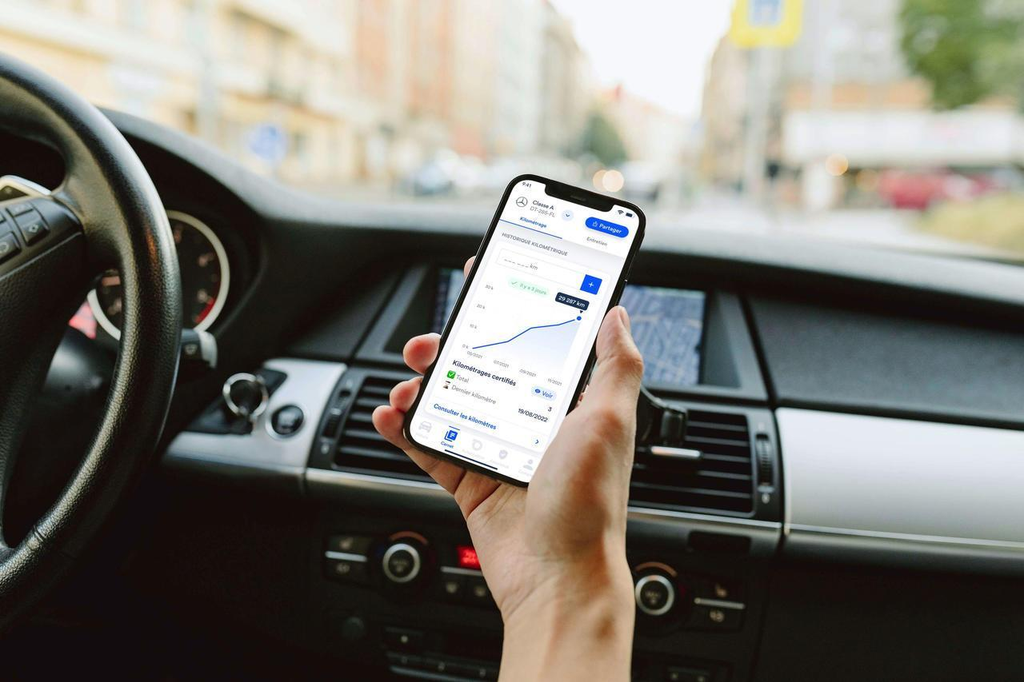
Keeping track of business mileage can become difficult when you regularly travel for meetings, client visits, deliveries, or other work-related activities. Recording every trip manually can take time and may lead to missing or inaccurate information.
A business mileage tracker app can simplify this process by using GPS technology to record trips, calculate distances, and organize mileage information. Instead of relying entirely on paper logs or memory, businesses and professionals can use digital tracking to maintain more consistent records.
In this guide, we’ll explain how GPS mileage tracking works, why it is useful for business travel, what features to look for, and how to maintain accurate mileage records.
What Is a Business Mileage Tracker App?
A best business mileage tracker app is a mobile application designed to record and organize mileage related to work activities. Many mileage tracking solutions use GPS to identify driving activity and calculate the distance traveled.
Depending on the solution, users may be able to record:
- Date and time of a trip
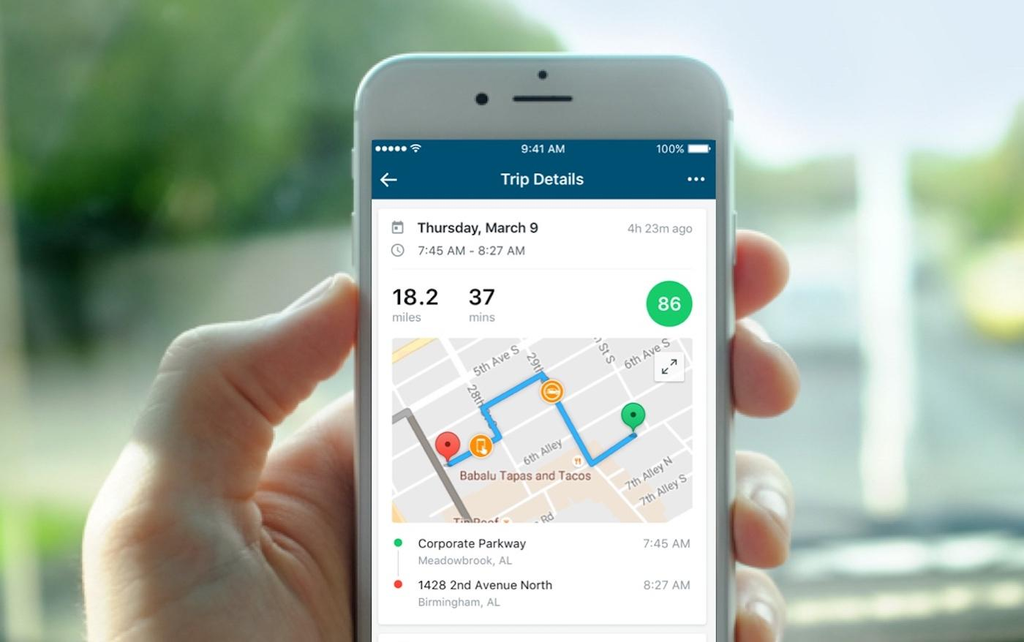
- Starting and ending locations
- Distance traveled
- Business or personal classification
- Purpose of the trip
- Mileage totals
- Vehicle-related expenses
The goal is to make mileage recordkeeping more efficient while reducing the need for repetitive manual data entry.
What Is GPS Mileage Tracking?
GPS, or Global Positioning System, uses satellite signals to determine a device’s approximate location. A mileage tracking app can use this location information to identify routes and estimate the distance traveled during a trip.
For business drivers, GPS tracking can provide a convenient way to create digital mileage records.
Instead of writing down the odometer reading after every trip, a GPS-enabled application can record relevant trip information automatically or with minimal input.
How Does GPS Tracking Work in a Mileage App?
The basic process is relatively simple.
After the user grants the required location permissions, the app can monitor driving activity. When a trip is detected, GPS data can be used to determine the route and calculate the distance.
A typical process includes:
- Install and configure the mileage tracking app.
- Enable the necessary location permissions.
- Begin driving for a business-related purpose.
- Allow the app to detect and record the trip.
- Review the route and calculated mileage.
- Classify the trip as business or personal.
- Add notes or a business purpose if necessary.
- Save and review the mileage record.
The exact process varies depending on the application and device settings.
Why Is GPS Useful for Business Mileage Tracking?
GPS-based tracking can offer several advantages compared with completely manual mileage logs.
1. Reduces Manual Recordkeeping
Recording every business trip manually can become repetitive. GPS tracking can automate much of the process by capturing trip information while you drive.
This can be especially useful for professionals who make multiple work-related trips each day.
2. Helps Improve Mileage Consistency
Forgetting to record a trip can create gaps in your mileage history. Automatic tracking can reduce reliance on memory and help maintain more consistent records.
Regularly reviewing the recorded trips is still important to identify missing or incorrect information.
3. Calculates Trip Distance
GPS technology can estimate the distance traveled along a recorded route. This eliminates the need to calculate every trip manually.
Having automatically calculated distances can make it easier to monitor total business mileage over time.
4. Helps Separate Business and Personal Driving
Many people use the same vehicle for work and personal activities. A mileage tracking app can provide tools to classify trips appropriately.
Keeping business and personal journeys separate can make mileage records easier to understand and manage.
5. Creates Digital Records
Instead of maintaining a physical notebook, users can keep mileage information digitally. This makes it easier to search, review, categorize, and summarize trips.
Digital records can also be more convenient when preparing information for accounting, reimbursement, or applicable tax-related purposes.
What Features Should the Best Business Mileage Tracker App Have?
There is no single mileage tracking solution that is best for every business. The right choice depends on the number of drivers, travel requirements, reporting needs, and existing workflow.
However, several features are worth considering.
Automatic Trip Detection
Automatic trip detection can identify driving activity without requiring users to manually start and stop tracking every time they travel.
This can save time for professionals who make frequent business trips.
GPS Route Tracking
A reliable GPS tracking system should provide useful route and distance information. Clear trip records make it easier to review business travel.
Business and Personal Classification
Look for an easy way to categorize trips. A simple classification system can help keep business mileage separate from personal driving.
Mileage Reports
Detailed reports can help businesses review mileage by date, driver, trip, distance, or category.
Reports may also be useful for reimbursement and accounting purposes.
Expense Tracking
Some mileage solutions allow users to record expenses related to business travel, such as fuel, parking, tolls, or maintenance.
Combining mileage and expenses can provide a broader view of business transportation costs.
Data Export
Export functionality can be useful when mileage information needs to be shared with accounting software, a tax professional, or internal business records.
Privacy Controls
GPS tracking involves location information, so privacy should be an important consideration. Review permissions, data storage practices, and privacy policies before enabling tracking.
GPS Mileage Tracking vs. Manual Logs
Traditional mileage logs require drivers to record each trip themselves. This may include the date, destination, distance, and purpose of the journey.
Manual tracking can work for people who drive occasionally, but it becomes more difficult as the number of business trips increases.
GPS mileage tracking can automate much of this process. The app records driving activity and calculates mileage, while the user reviews and categorizes the information.
However, GPS tracking should not be considered completely error-free. Routes can occasionally be recorded incorrectly, and trips may need to be adjusted or classified manually.
For this reason, regular review remains an important part of accurate recordkeeping.
How to Maintain Accurate GPS Mileage Records
Using GPS tracking is only one part of maintaining good business mileage records. Businesses should also establish a consistent review process.
Here are some useful practices:
- Review recorded trips regularly.
- Correct inaccurate routes or mileage promptly.
- Classify business and personal trips correctly.
- Add the purpose of important business journeys.
- Keep supporting documentation for relevant expenses.
- Check that GPS and location permissions are working.
- Export or back up important records when appropriate.
- Follow the mileage documentation requirements applicable to your location.
Tax rules and mileage deduction requirements vary by country and can change over time. If mileage records are being used for tax purposes, verify the current requirements or consult a qualified tax professional.
Who Can Benefit From GPS Mileage Tracking?
GPS-based mileage tracking can be useful for many professionals and organizations that rely on business travel.
These may include:
- Small business owners
- Freelancers
- Independent contractors
- Sales representatives
- Real estate professionals
- Consultants
- Delivery workers
- Field technicians
- Service professionals
- Employees who travel for work
For businesses with multiple drivers, centralized mileage reports may also make it easier to monitor work-related travel and manage reimbursement processes.
How to Choose the Right Mileage Tracking Solution
When evaluating a business mileage tracker, focus on how well it fits your daily workflow.
Consider how frequently your employees or team members drive, whether you need automatic tracking, how detailed your reports need to be, and whether expense management is important.
You should also consider smartphone compatibility, battery usage, privacy controls, data export options, and ease of use.
A solution with many features is not necessarily the best choice if those features make the system complicated for drivers. The most useful option is one that makes accurate mileage tracking simple and consistent.
Final Thoughts
GPS technology has made business mileage tracking considerably easier. A business mileage tracker app can record trips, calculate distances, organize driving information, and reduce the amount of manual recordkeeping required.
The best business mileage tracker app for one company may not be the same for another. Businesses should evaluate GPS accuracy, automatic trip detection, reporting, expense tracking, privacy, and data management before choosing a solution.
Most importantly, GPS tracking should work alongside regular record reviews. Drivers should verify their trips, classify business and personal journeys correctly, and maintain supporting documentation when necessary.
With a consistent approach, GPS-based mileage tracking can turn a time-consuming administrative task into a simpler and more organized part of business travel management.